
Email Configuration Settings
You can use our web-based client (WebMail) to access your mail. The default is https://mail.ihwy.com. If you have your own domain, be sure to use https://mail.yourdomain.com, replacing “yourdomain.com” with your company’s domain name.
The following applies if you use a mail client (i.e., iPhone Mail, Outlook, EM Client, Gmail, OSX Mail, Thunderbird, etc.).
Your email application can be set up to retrieve emails from the email server using two different protocols: IMAP or POP. The protocol you’ll use mostly depends on how many devices you’ll use to access your email.
|
IMAP |
For incoming mail, this is for people who access their email on multiple devices or if multiple users access the same account. When you read, reply, delete, forward, or otherwise manage your email, the changes are made on the server and sync with your webmail and other IMAP-connected email clients. IMAP is limited to 20 connections per IP address, which shouldn’t be an issue for most users. |
|
POP |
Use POP to download and remove your email from the server and store it on your device. It’s a great option if you want to manage your email through one main interface, frequently manage your email offline, or need more storage space than your mail server allows. Only use POP if you want to access your email from one device. |
Your outgoing mail server uses SMTP settings. SMTP, which stands for Simple Mail Transfer Protocol, is a set of communication guidelines that allow the software to transmit email over the Internet. Most email software is designed to use SMTP for communication purposes when sending an email that only works for outgoing messages.
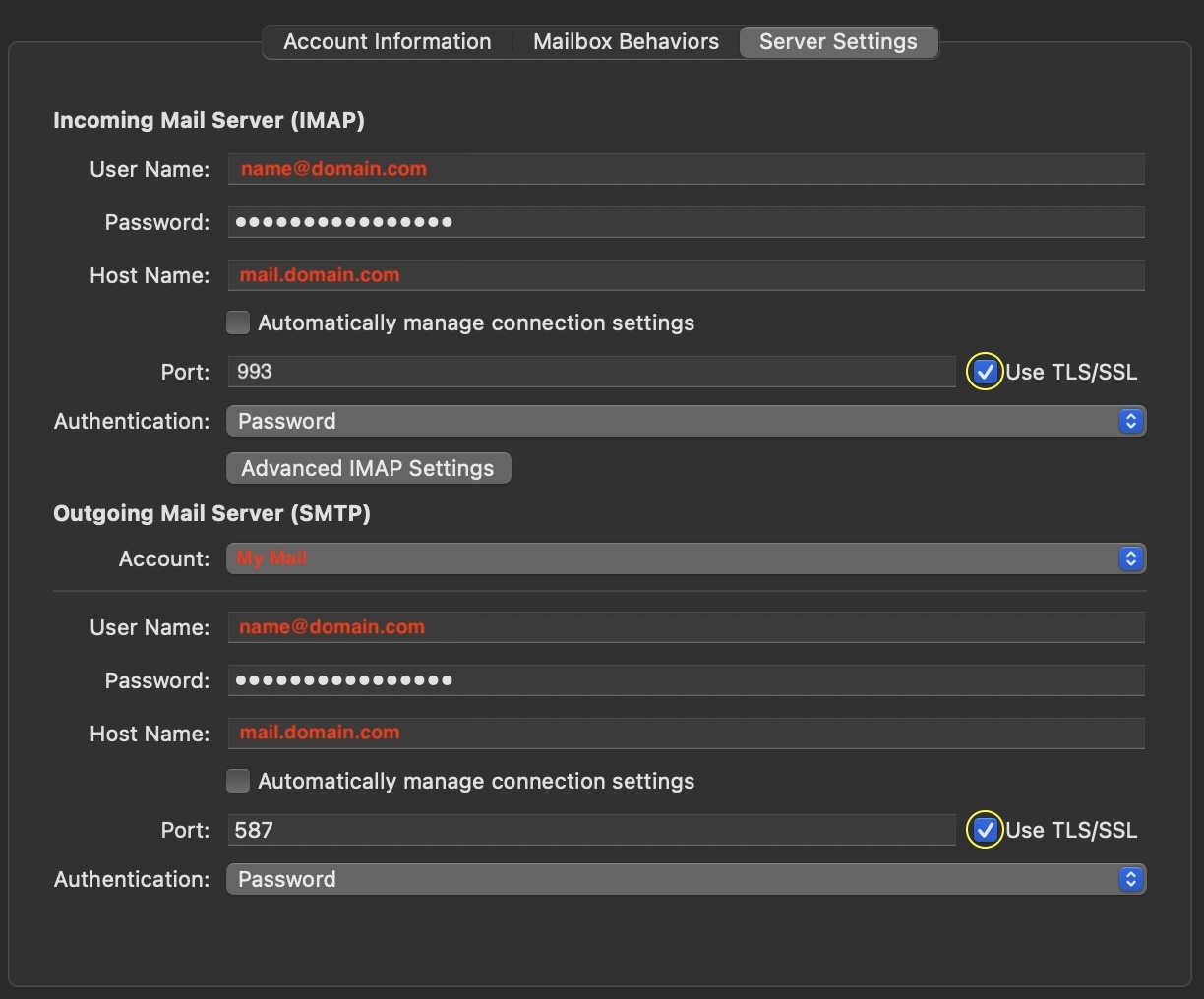
Also, we highly recommend securing your email connection using the Secure (with TLS/SSL) settings. These settings enable an SSL email certificate to encrypt the connection between your email client and the mail server to ensure that your mail is private and cannot be read by anyone but the intended recipient. Some networks don’t permit TLS/SSL connections, so we’ve listed the standard settings.
Incoming Server
|
Incoming Mail Server Address |
|
|
Incoming Mail Server Port |
|
|
Username |
|
|
Password |
|
|
Authentication |
|
|
|
Outgoing SMTP Server
|
Outgoing Mail Server Address |
|
|
Outgoing Mail Server Port |
|
|
Username |
|
|
Password |
|
|
Authentication |
|
|
|